Jukebox
A downloadable RPG Maker MZ Jukebox
This plugin was created with AI assistance.
TERMS
This plugin is free for use in commercial and non-commercial projects so long as the content isn’t illegal. Please do not make minor adjustments and release the plugin in your own name. Credit (and game this system was used in) are always appreciated! Please credit Justin Mills and link back to my itch.io page.
INSTRUCTIONS
======================
Overview
--------
JM_Jukebox adds an in-game jukebox menu where the player can:
- Play a single song immediately
- Build and play a playlist
- Use loop modes (Off / List / One)
- Toggle random playlist order
- Switch UI color themes
- Optionally show an on-screen “Now Playing” label (watermark)
Jukebox music overrides the current map BGM and continues across map transfers
until it ends or you stop it (unless you use Auto-Stop maps).
Install
-------
1) Place JM_Jukebox.js in your project:
/js/plugins/JM_Jukebox.js
2) Enable it in RPG Maker MZ Plugin Manager.
3) Configure the plugin parameters (Songs, optional UI/Theme/Watermark options).
Songs Setup (Plugin Parameters)
-------------------------------
Add entries under the Songs parameter. Each song entry has:
- Label
What the player sees in the list.
- SubLabel (optional)
A second line used by the on-screen label/watermark (if enabled).
- BGM
The audio file name in /audio/bgm/ WITHOUT the file extension.
- Volume / Pitch / Pan
Playback settings.
- SwitchId (optional) and ItemId (optional)
Used for song unlocks (see below).
Sorting:
- The song list is alphabetized by Label (with a small “ignore The” style sort).
Unlocking Songs
---------------
Each song can be:
- Always available:
Set both SwitchId = 0 and ItemId = 0.
- Locked behind progress (switch):
Set SwitchId to a game switch that you turn ON in your events.
- Locked behind an item:
Set ItemId to an item that represents “unlocking” that track (e.g., a music disc).
If the party has the item, the song appears.
If either unlock condition is met (switch ON OR item owned), the song is unlocked.
Locked songs do not appear in the song list.
Plugin Commands (Use in Events)
-------------------------------
Open Jukebox
- Opens the jukebox menu UI.
Stop Jukebox
- Stops jukebox playback and returns control to normal map BGM behavior.
How the Jukebox UI Works
------------------------
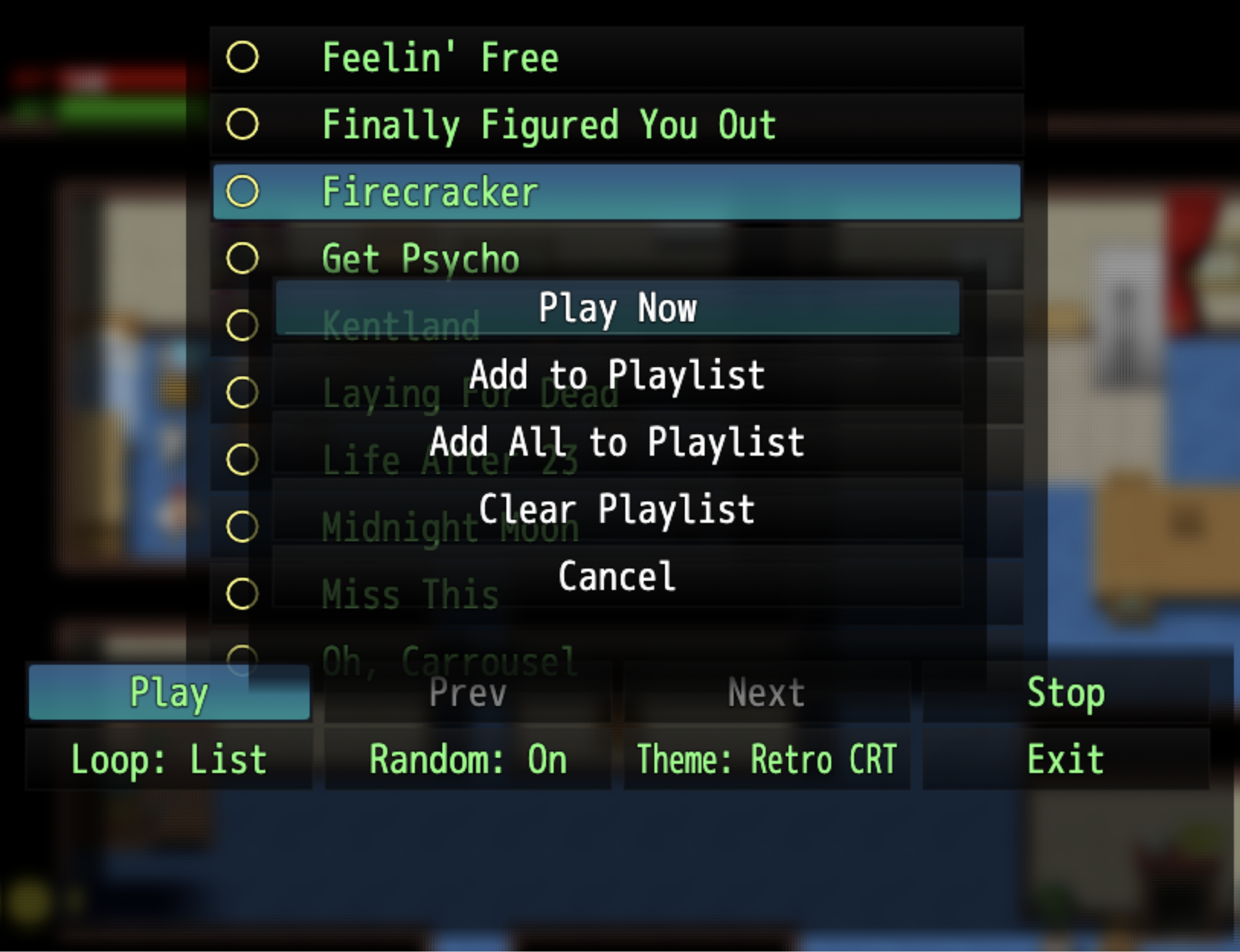
Song List
- Select a song to open an actions popup:
- Play Now
- Add to Playlist / Remove from Playlist
- Add All to Playlist
- Clear Playlist
- Cancel
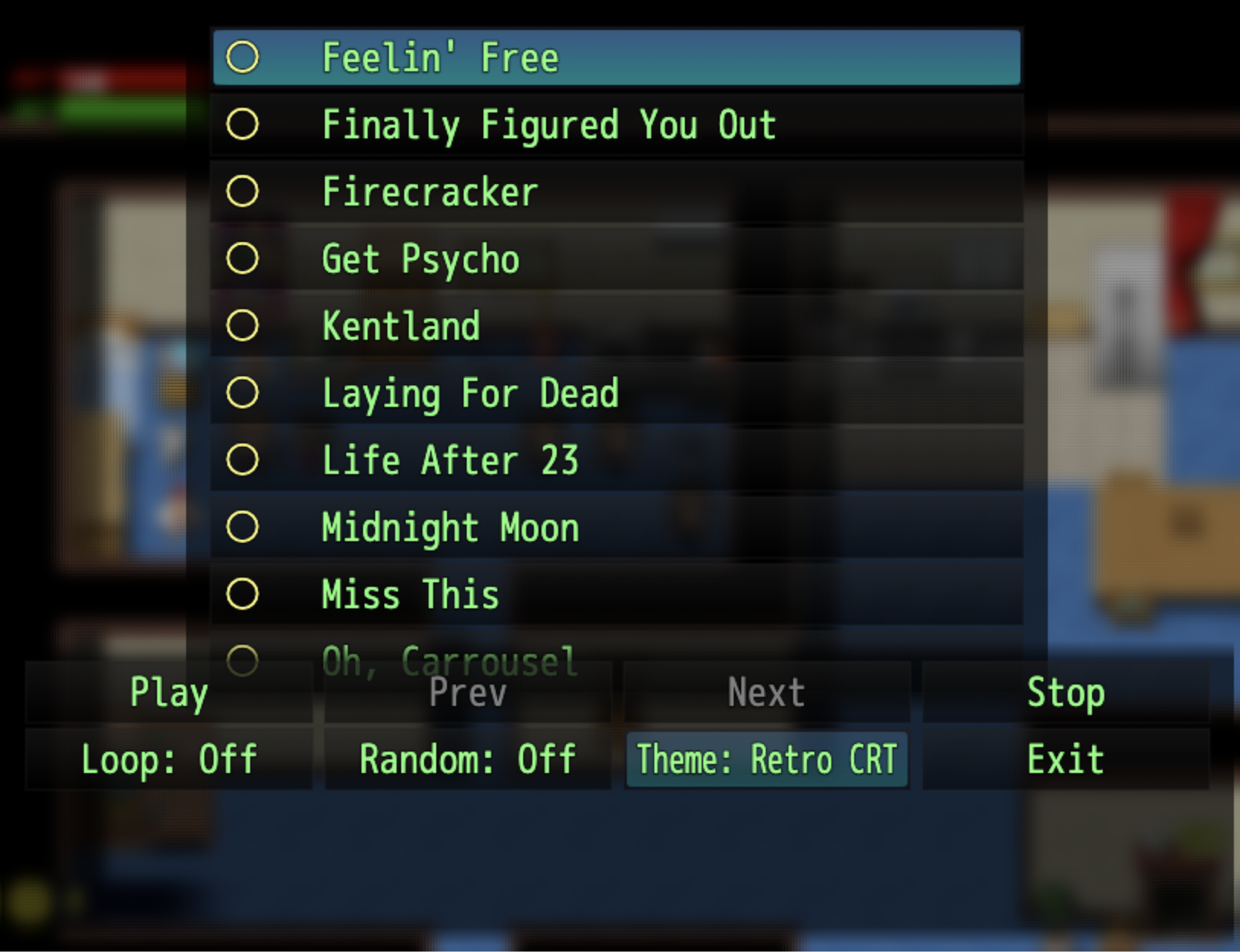
Bottom Command Bar (varies by state)
- Play (plays the current playlist)
- Prev / Next (only usable while playlist playback is active)
- Stop
- Loop (Off / List / One)
- Random (random order during list looping)
- Theme (cycles themes)
- Exit
Auto-Stop Maps
--------------
Optional parameter: AutoStopMaps
- Add map IDs where entering that map should forcibly stop the jukebox.
- This is useful for boss arenas, cutscenes, or any map where the map’s own BGM
should always take over.
If a map is in AutoStopMaps:
- Jukebox music is stopped on entry
- The map’s autoplay BGM can play normally
Now Playing Label (Watermark)
-----------------------------
Optional settings allow a brief on-screen label whenever a track starts.
- Line 1 uses Label
- Line 2 uses SubLabel (if provided)
You can configure:
- Enable/disable
- Position (corner/center options)
- Duration
- Font sizes
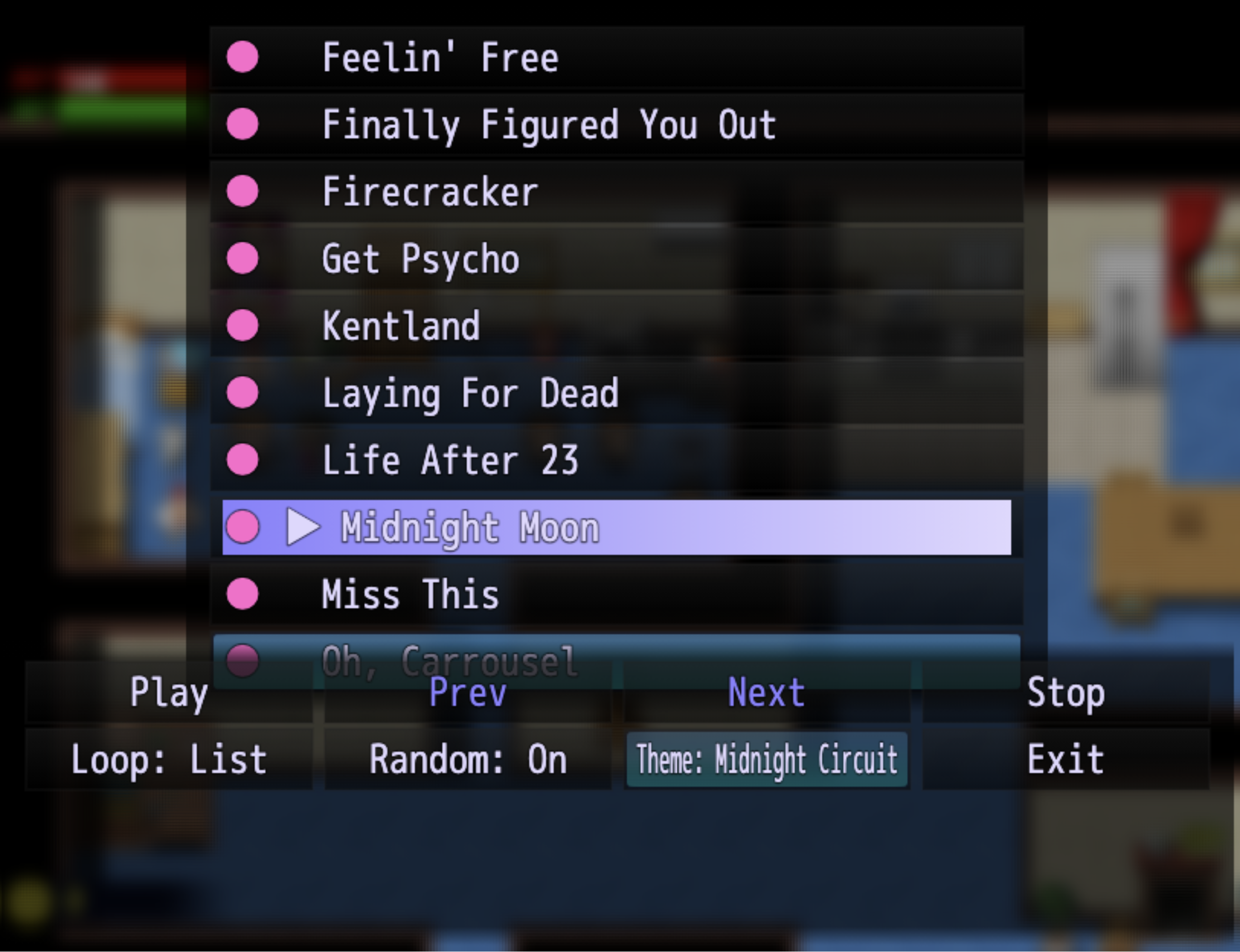
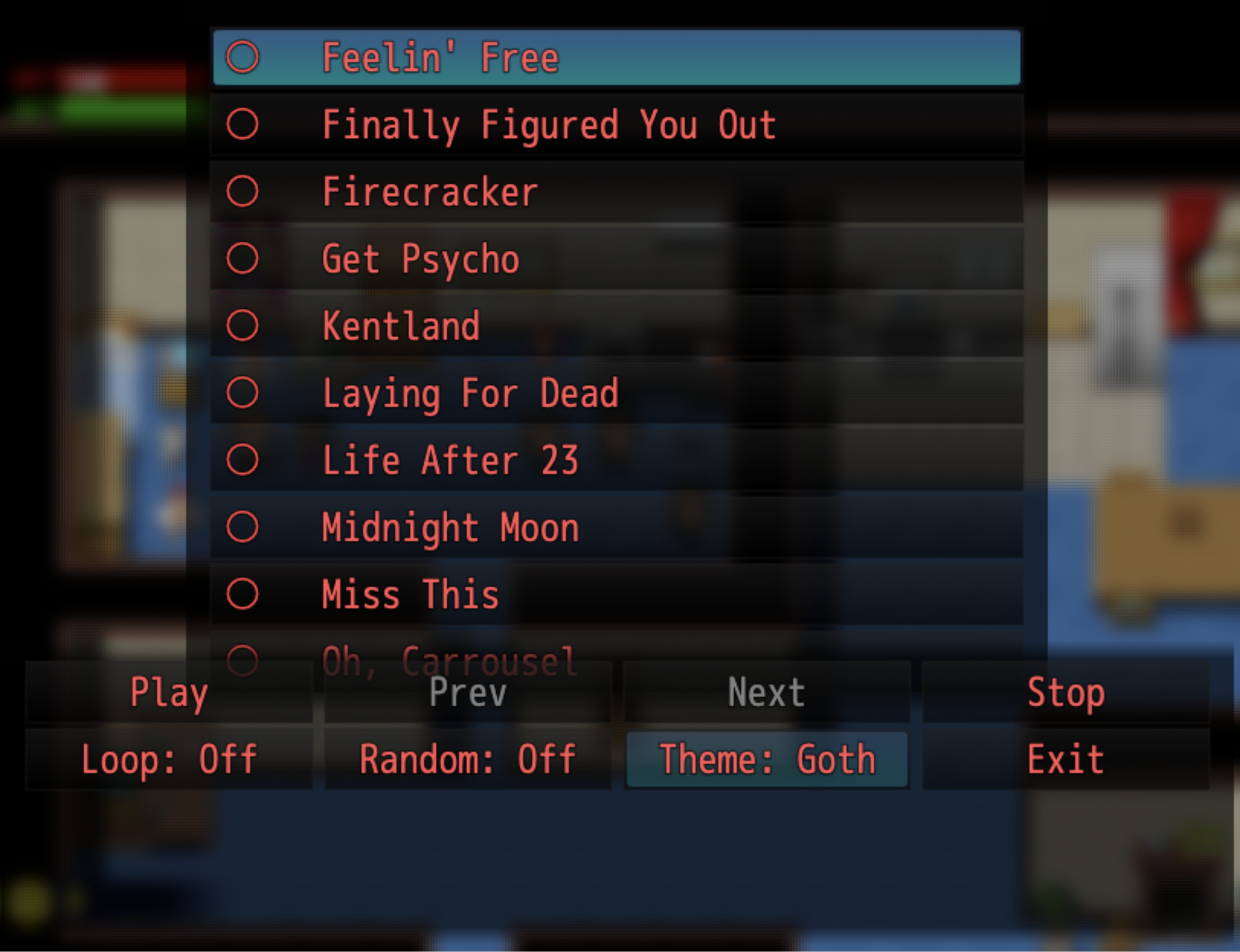
Themes (UI Colors)
-----------------
The plugin supports multiple UI color themes.
- Built-in themes are provided
- Optional custom themes can be added in parameters
- The player can switch themes from within the jukebox menu
Troubleshooting
---------------
- Song won’t play:
- Confirm the BGM name exactly matches a file in /audio/bgm/
- Do NOT include the extension (no .ogg / .m4a)
- Playlist stops unexpectedly:
- A missing/invalid BGM entry can cause a skip/stop depending on context.
- Verify every playlist song points to a valid BGM file.
- A song doesn’t show up:
- Check its SwitchId/ItemId unlock requirements.
- If using an item unlock, make sure the party actually has the item.
NOTE:
I will do my best to support the plugin to address bugs, but compatibility issues with other plugins (pixel movement, MZ3D, VisuStella, etc.) will be on a case-by-case basis and predicated largely on whether I have a copy of that system already to reference against.
Download
Click download now to get access to the following files:
Leave a comment
Log in with itch.io to leave a comment.